
In the Campaigns tab, you can view a complete list of all campaigns associated with your account.
Features and Actions
1. Filter by State
Easily filter campaigns based on their status:
All – Displays all campaigns regardless of status.
Active – Shows campaigns currently running.
Inactive – Lists campaigns that have been paused.
Draft – Displays campaigns that are still in progress and not yet launched.
Archived – Shows campaigns that are no longer active and have been archived for reference.
2. Select the Period
View campaigns from specific time frames: All time, Today, Yesterday, Last 7 days, Last 30 days.
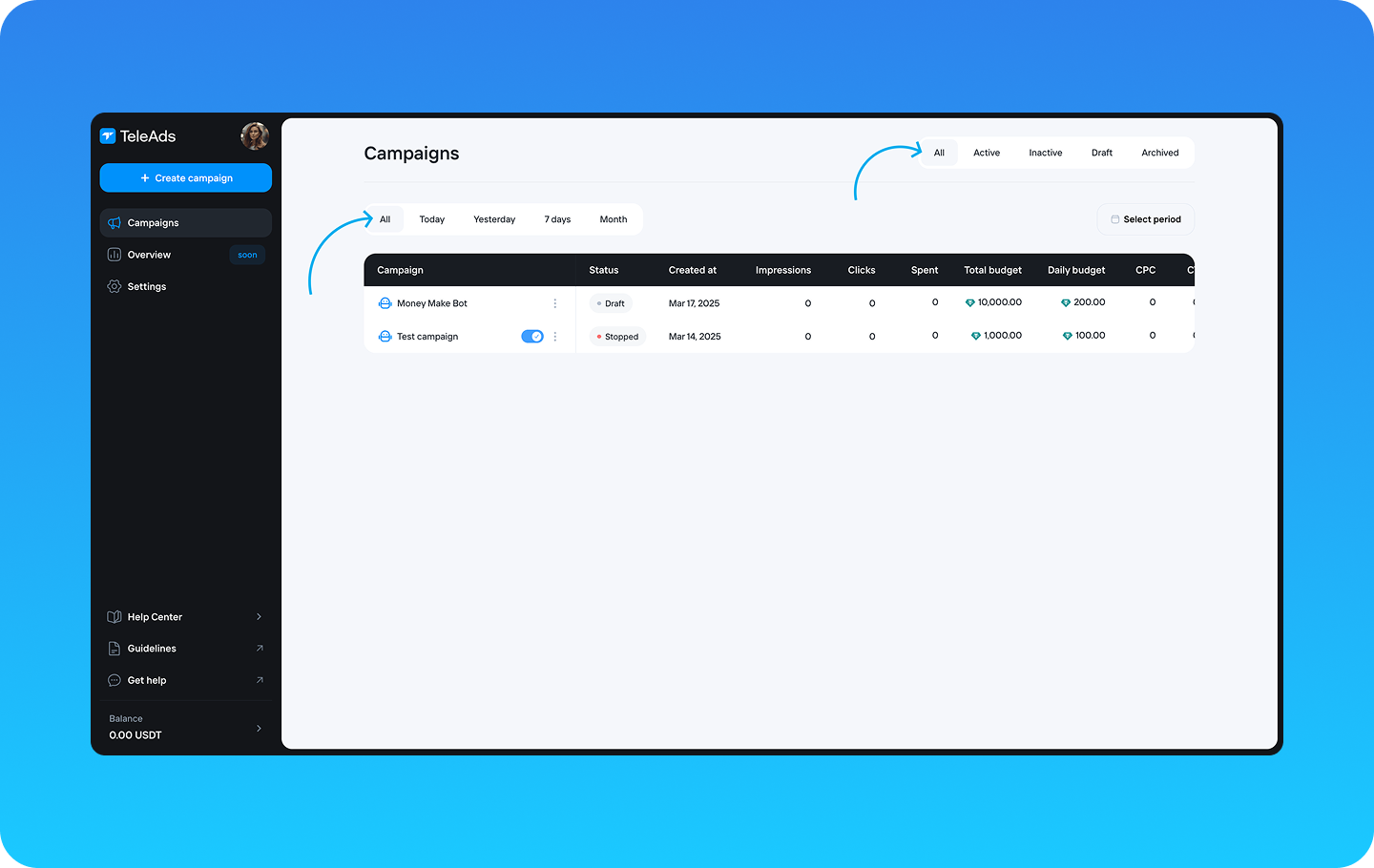
3. Check the Status
Find out the current status of each campaign:
Draft - The campaign is created but not yet submitted for review or activation.
In Review – The campaign is being reviewed before activation.
Active – The campaign is running and delivering impressions.
On Hold - The campaign is temporarily paused and will not deliver ads until resumed.
Archived – The campaign is no longer active and has been stored for record-keeping.
Declined - The campaign did not pass the review process and cannot be activated.
Error - The campaign encountered an issue preventing it from running, such as a payment failure or configuration problem. Please contact support to assist you with the error.
4. Duplicate a Campaign
Click the three-dot button next to a campaign name and select Duplicate to create an identical copy. To make changes, click on the duplicated campaign to edit it.
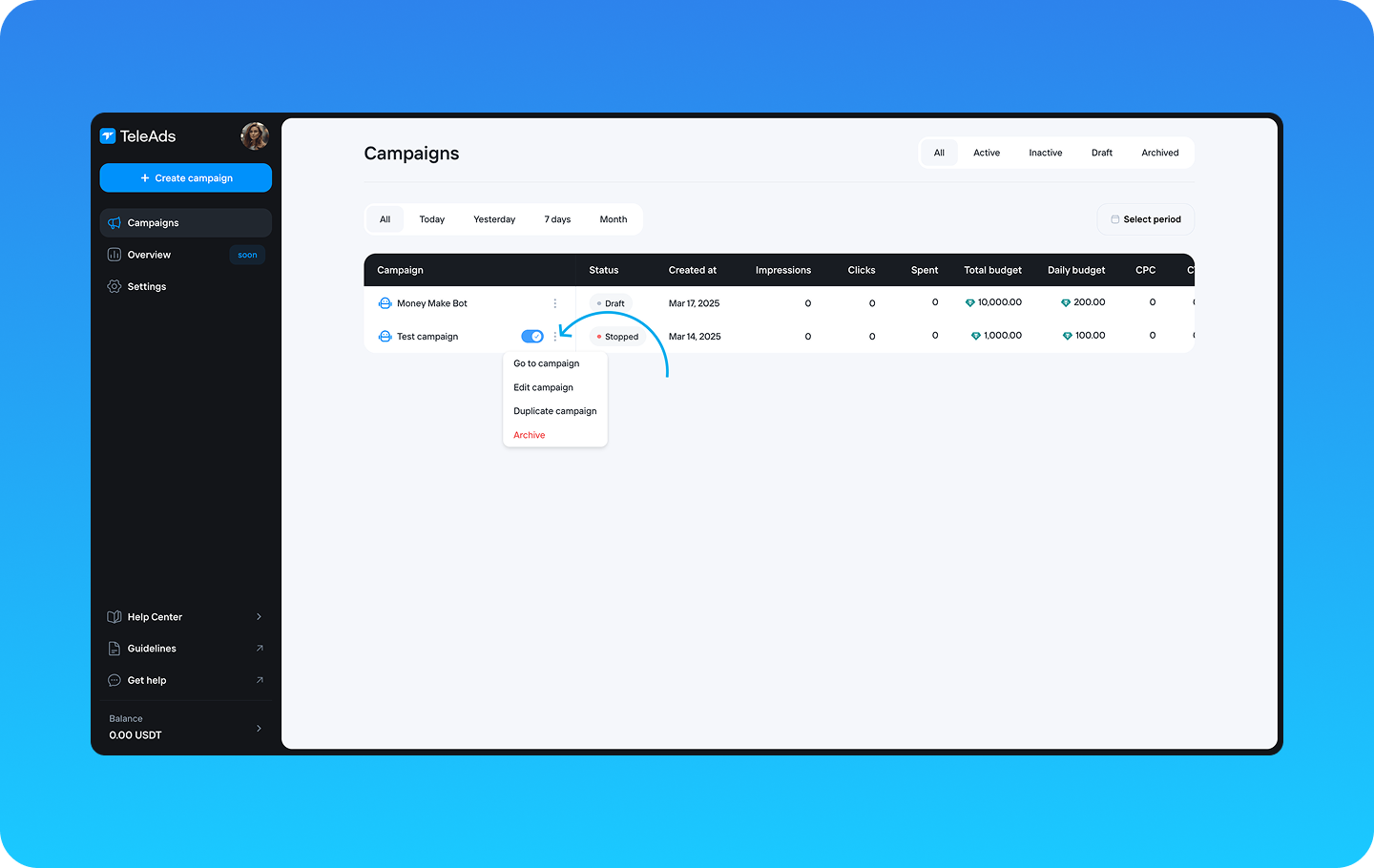
5. Sort Campaigns by Fields
Organize the campaign list by:
Created at – Sort by the date of creation.
Impressions – Arrange based on the number of times the ad was displayed.
Clicks – Sort campaigns by the number of user interactions.
Spend – Order campaigns based on total spend.
Total Budget – Sort by the overall allocated budget.
Daily Budget – Arrange campaigns based on the daily spending limit.
6. Open and Edit a Campaign
Click on a campaign name to view and edit its details.
You can review and modify attributes prefilled during campaign creation, such as:
Details – Adjust campaign settings, objectives, or descriptions.
Audience – Update targeting criteria to refine the reach of your campaign.