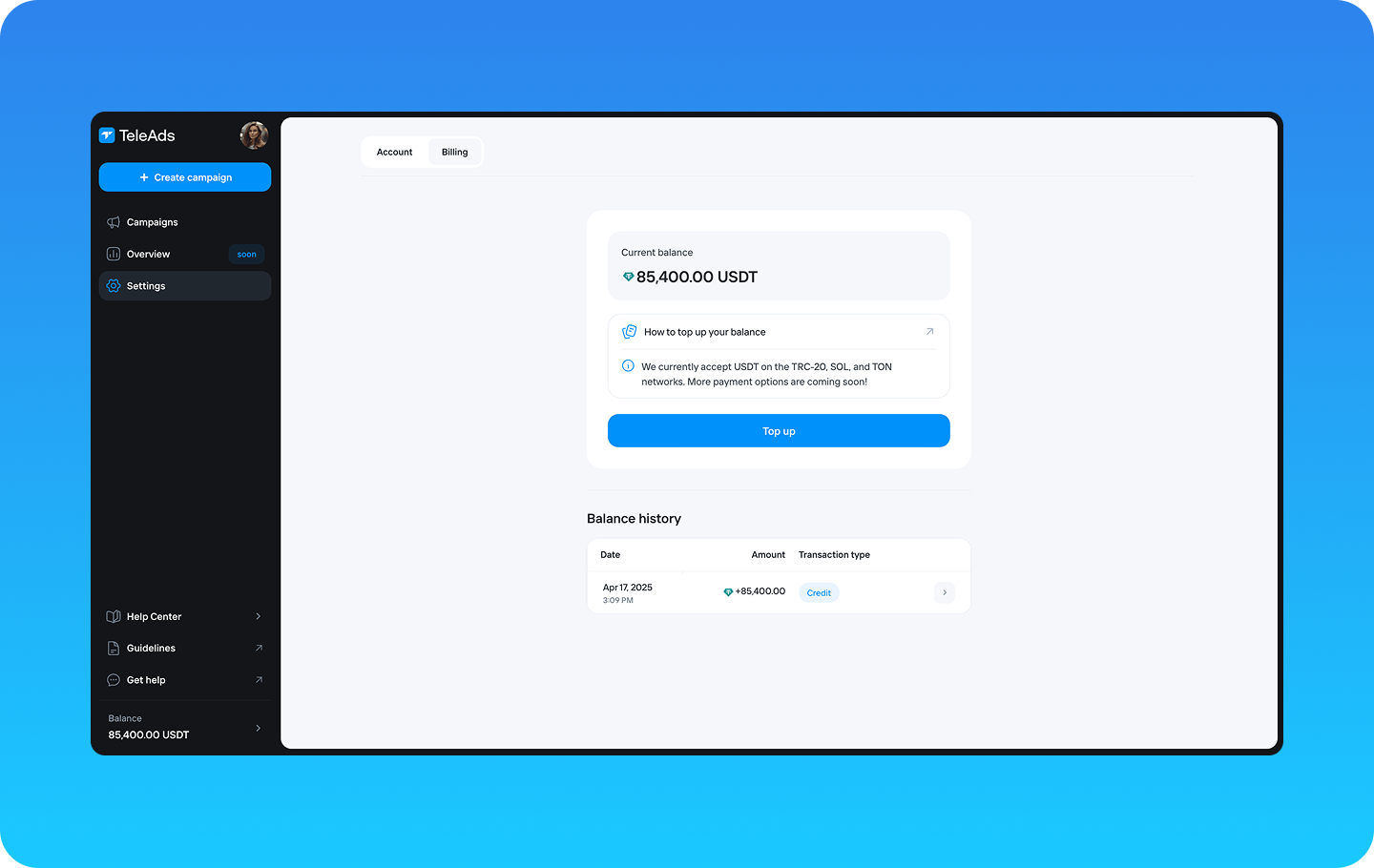
Before launching your campaigns, you need to top up your TeleAds balance.
Currently, we accept USDT payments via the TRC-20, SOL, and TON networks. Ensure you select one of these networks along with the specified currency when making the transaction.
Follow these steps to top up your balance:
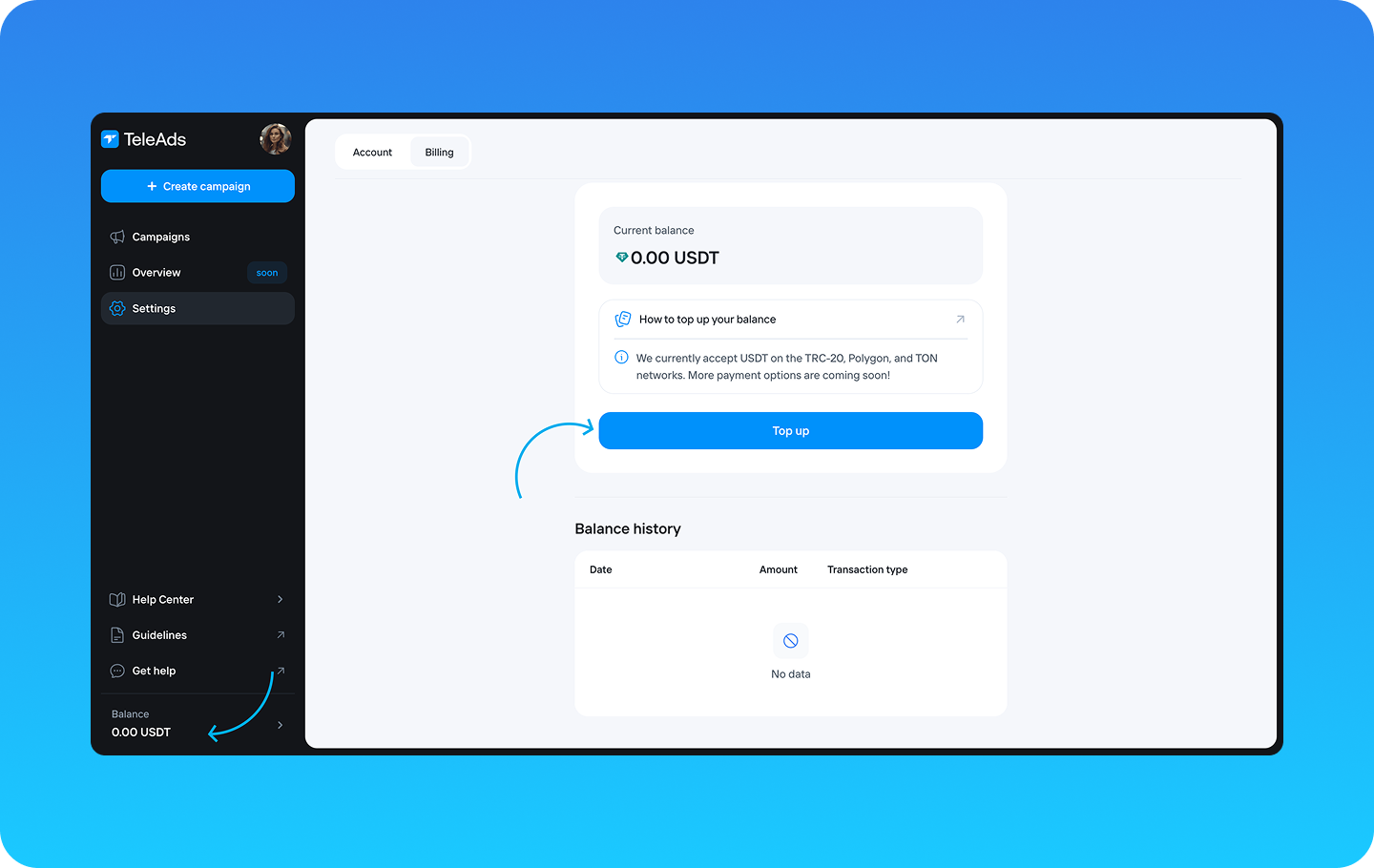
Go to Settings and select the Billing tab.
Click the "Top Up" button.
A pop-up with the next steps will appear.
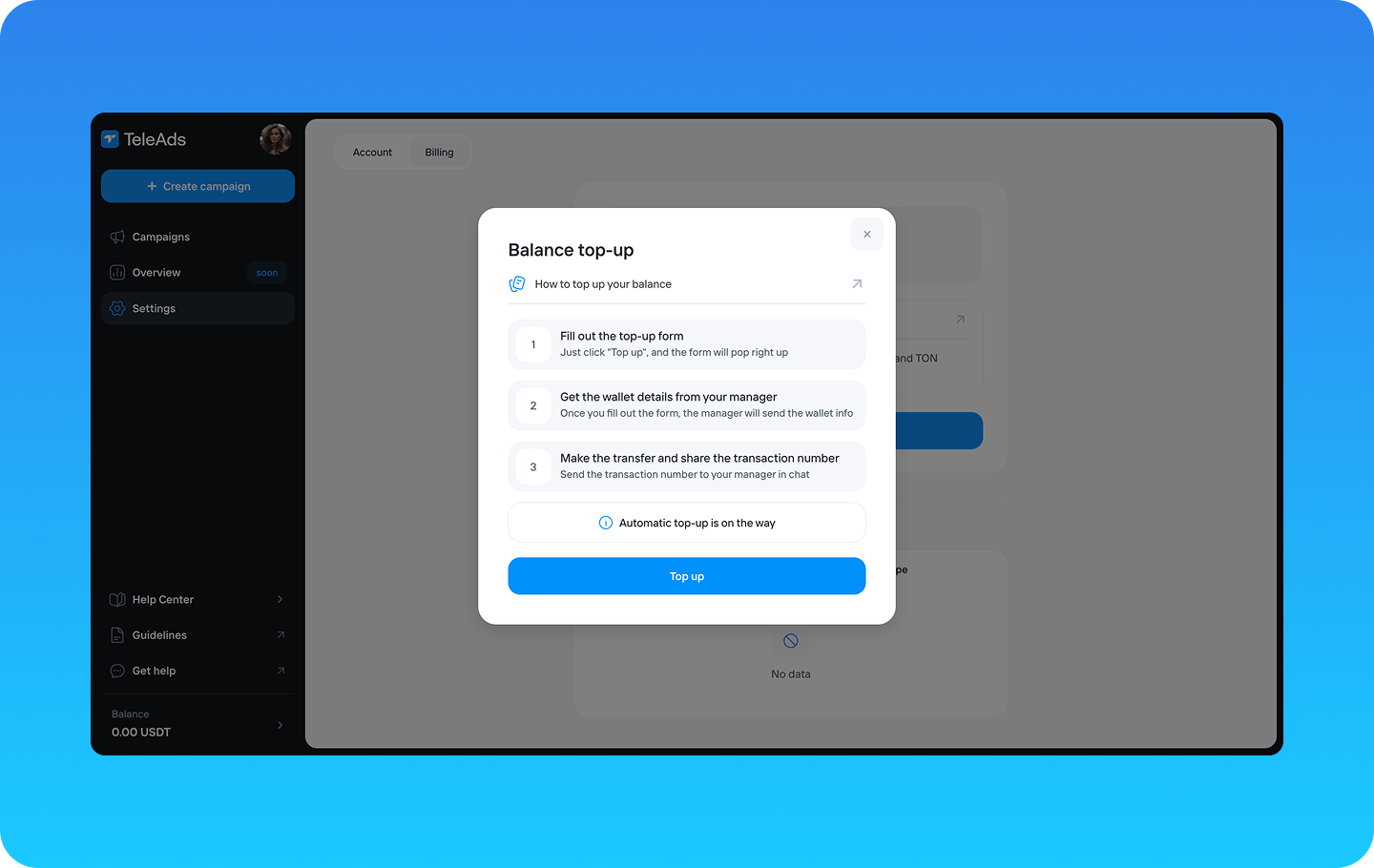
Fill out the short top-up form and click "Top Up."
Wait for our team to respond. Your request will be automatically sent to us, and our manager will provide you with the wallet details for the transfer.
Make the transfer from your wallet, selecting TRC-20, SOL, or TON as the network and using the wallet address provided by our team.
Copy the transaction ID from your blockchain transaction. Every blockchain transaction has a unique ID—copy it and share it with our team so we can link the funds to your account.
Once the transaction is confirmed, we will update your balance, and you can start setting up your campaigns immediately! 🥳